
1. Confirm the Correct Client
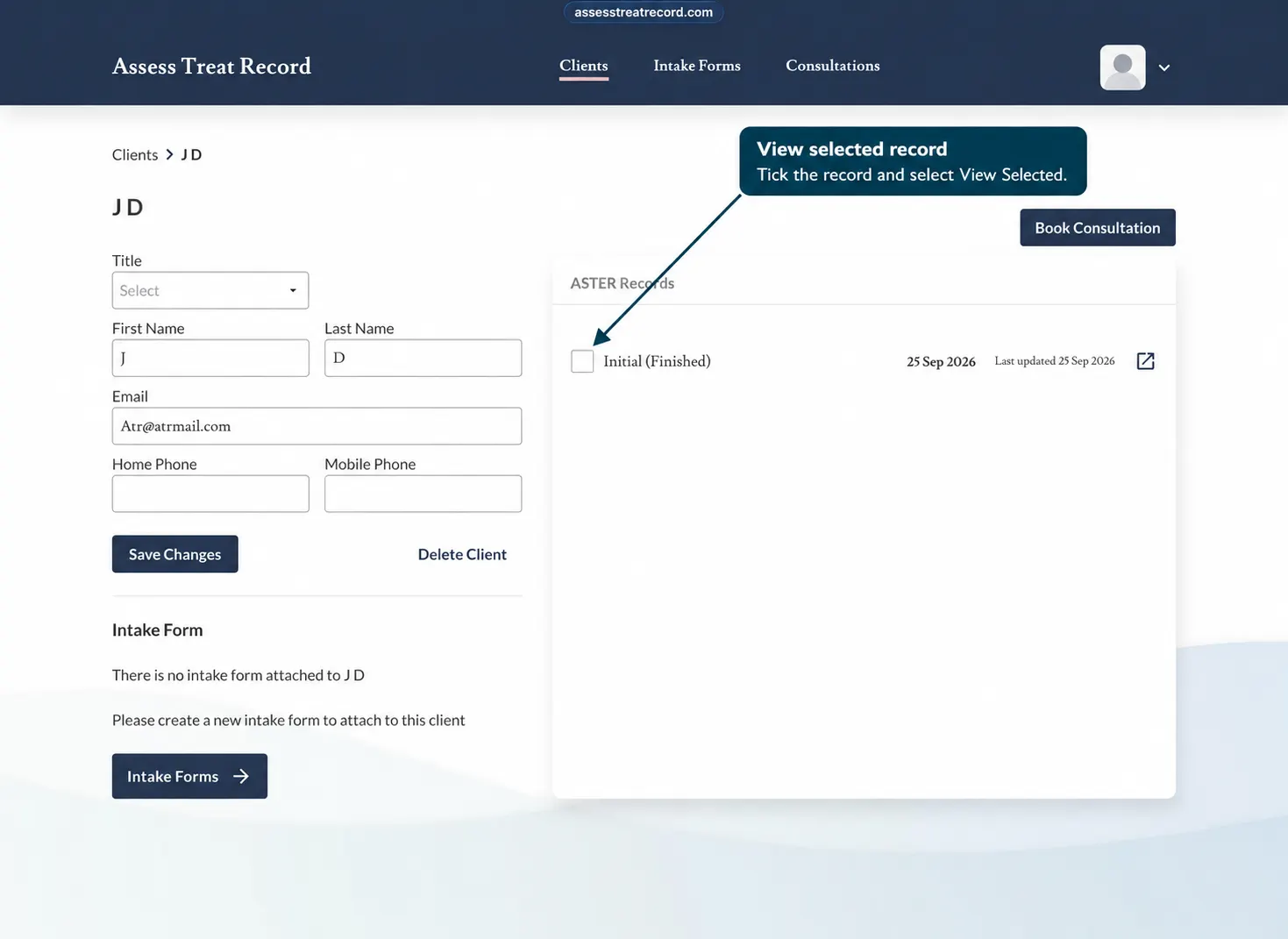
Open the Clients area and make sure you have selected the correct client record.
If the client is difficult to find, try searching with the client’s first name or the first few letters, then press Enter.
2. Check for an Existing Consultation
Before starting another consultation, review the client’s record to see whether a consultation has already been started.
If an existing consultation is available, open that consultation rather than creating another one unnecessarily.
3. Starting a New Consultation
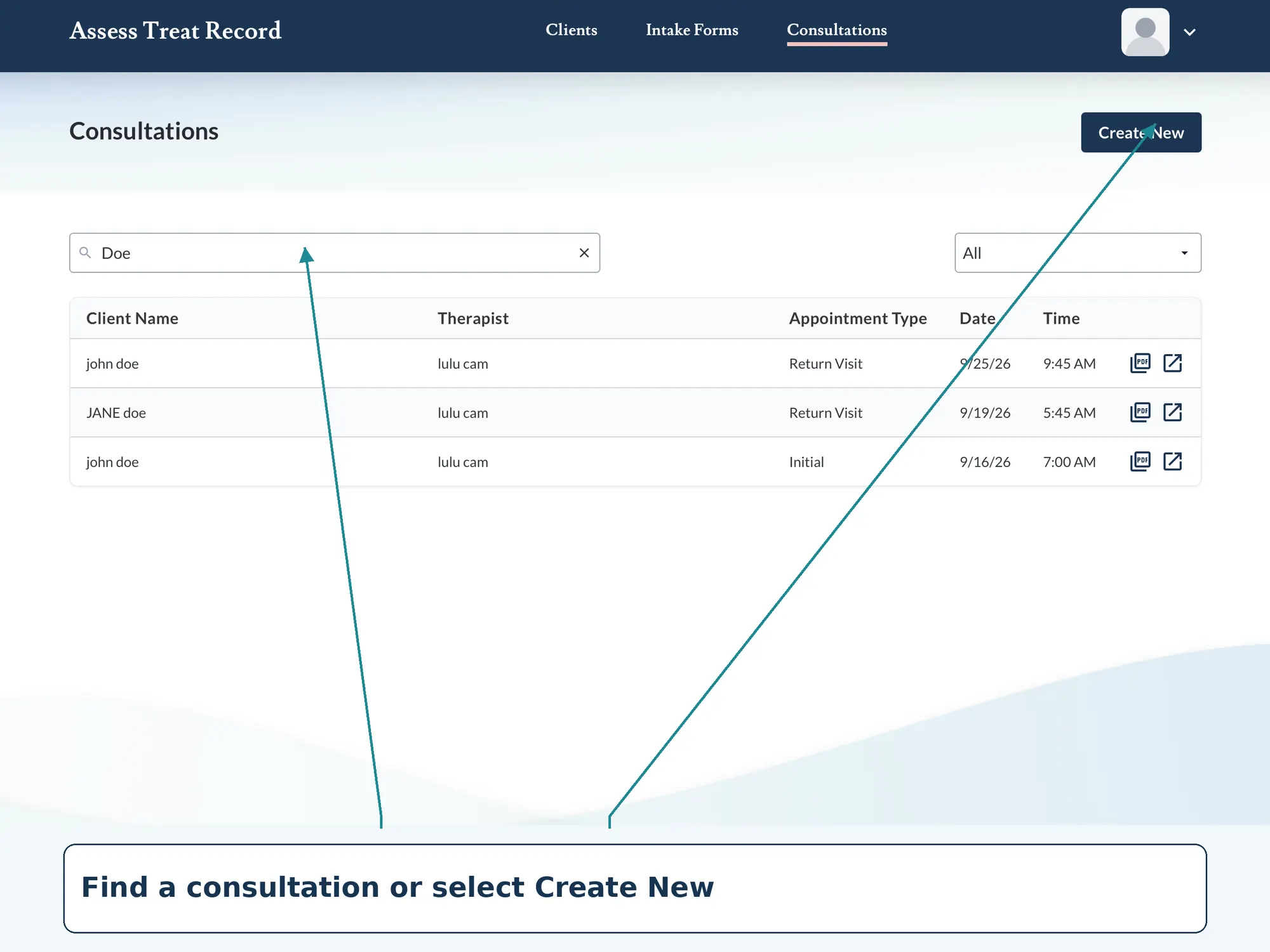
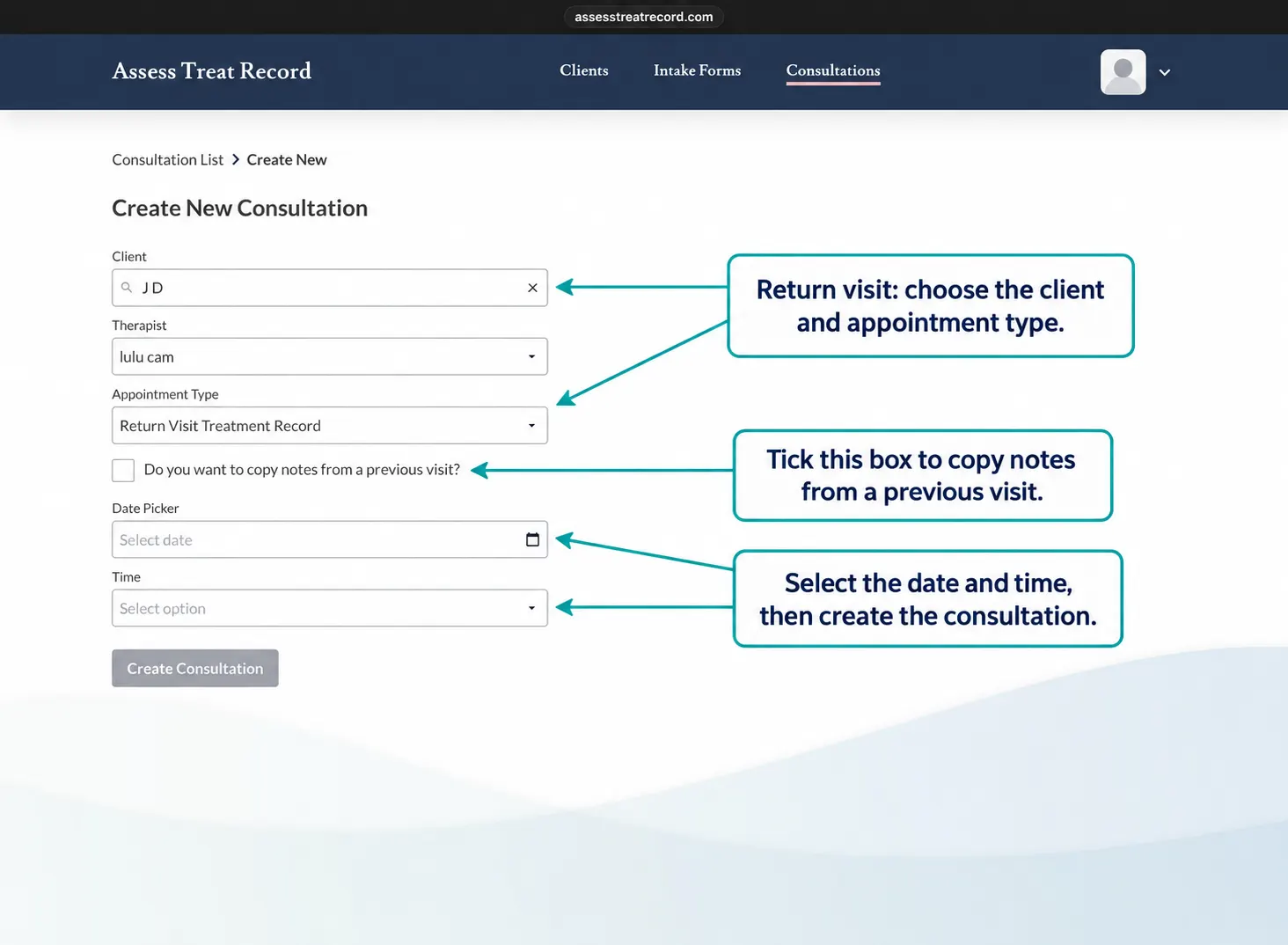
If there is no consultation already in progress and you need to begin a new one, use the normal consultation workflow from the client’s record.
Make sure the correct client is selected before continuing.
4. Continuing an Existing Consultation
If a consultation has already been started, open the existing consultation and continue from the relevant section.
Review the information already recorded before adding new notes or findings.
5. If the Consultation Does Not Open as Expected
If the consultation does not open or respond as expected, try the following checks:
Confirm you are on the correct client record
Return to the client record and reopen the consultation
Refresh the page and try again
Check that your internet connection is working normally
These checks can help rule out common access or navigation issues.
6. Avoid Creating Duplicate Consultations
Before starting another consultation, check whether one has already been created for that client.
Opening the existing consultation can help avoid duplicate records for the same treatment session.
Check Before Starting Again
If you are unsure whether a consultation already exists, return to the client's record and review the available consultations first.
7. If the Consultation Is Unfinished
If you can see a consultation that has been started but not completed, it may need to be continued rather than replaced with a new consultation.
A separate troubleshooting guide for unfinished consultations will explain this workflow in more detail.
Need the normal consultation steps?
How to Start a New Client Consultation
Use the How-To guide if Assess Treat Record is working normally and you simply need the standard consultation steps.