
1. Check That Speech-to-Text Is Available
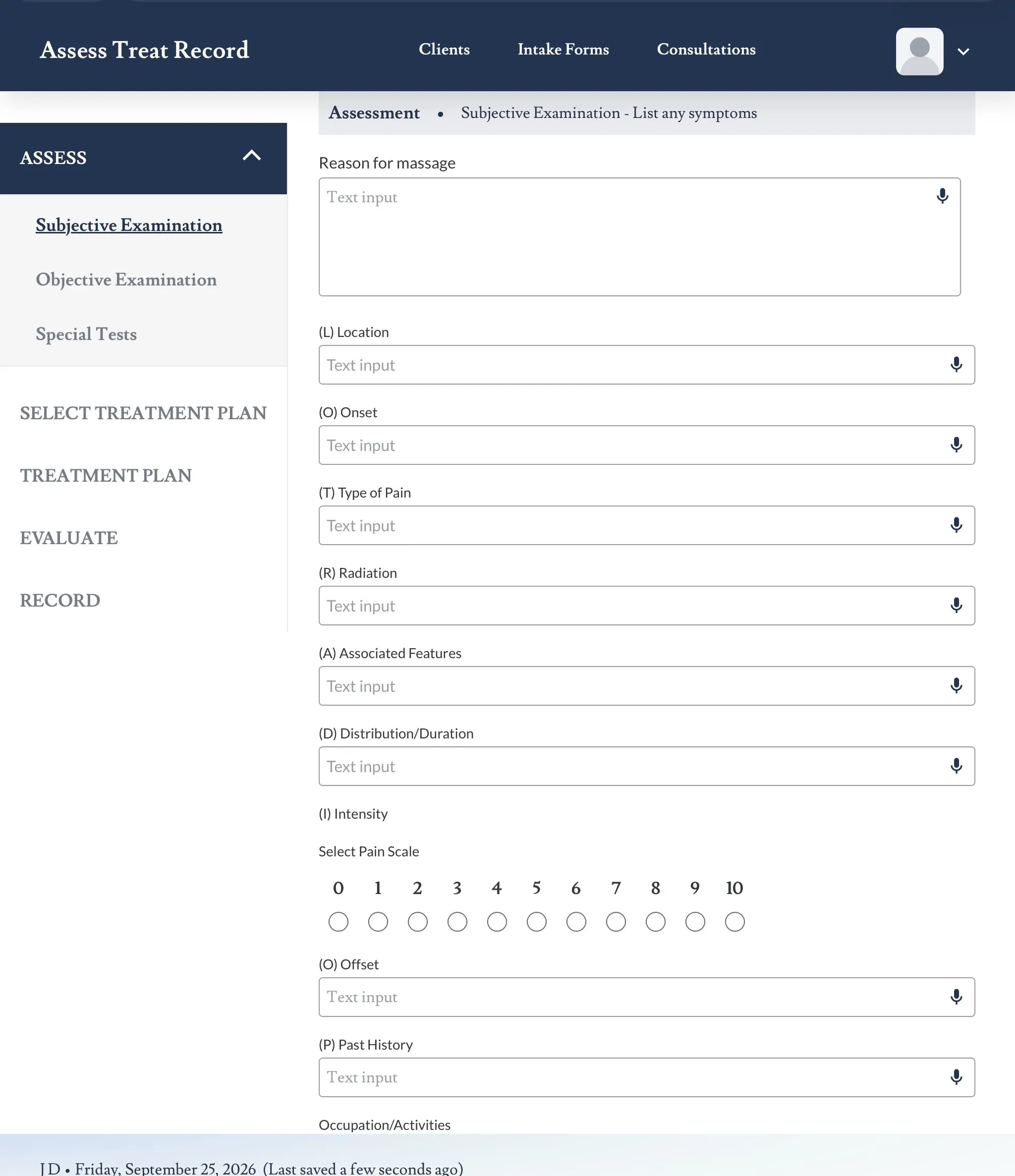
Open a supported free-text area in Assess Treat Record and check for the microphone icon.
The microphone is only available in supported text-entry areas.
2. Select the Microphone
Select the microphone icon and try speaking clearly into your device’s microphone.
Allow a moment for your dictated speech to appear as text.
3. Check Microphone Permission
If the microphone does not respond, check whether your browser has permission to use your device’s microphone.
If microphone access has been blocked, you may need to allow access before speech-to-text can be used.
This is one common setting worth checking.
4. Check Your Device Microphone
Make sure your device’s microphone is available and not being used exclusively by another application.
If possible, test the microphone using another normal microphone-enabled feature on your device.
5. Check Your Internet Connection
Speech-to-text may require an active internet connection. If dictation is not responding, check that your connection is working normally.
6. Refresh and Try Again
If the microphone still does not respond, refresh Assess Treat Record and return to the same supported notes area.
Try the microphone again after the page has reloaded.
7. If the Dictated Text Is Incorrect
Speech-to-text may occasionally transcribe a word or clinical term incorrectly.
Always review the dictated text and correct any wording that does not accurately reflect the consultation.
You can also edit the text manually before continuing.
8. Try Clear, Shorter Dictation
If the transcription is difficult to read, try speaking clearly and using shorter phrases.
Clinical terminology, muscle names and uncommon words should always be checked carefully after dictation.
Always Review Dictated Notes
Speech-to-text converts spoken information into written text. The therapist remains responsible for reviewing and correcting the final clinical record.
Speech-to-Text vs Tidy Notes
Speech-to-text converts your spoken words into text.
Tidy Notes is a separate upcoming feature designed to help refine clinical wording while preserving the therapist’s original findings and meaning.
Tidy Notes — Coming Soon
Still Having Trouble?
If you have checked microphone access, your device microphone and your internet connection and speech-to-text still is not working as expected, return to Troubleshooting for additional support options.