
1. Open Special Tests
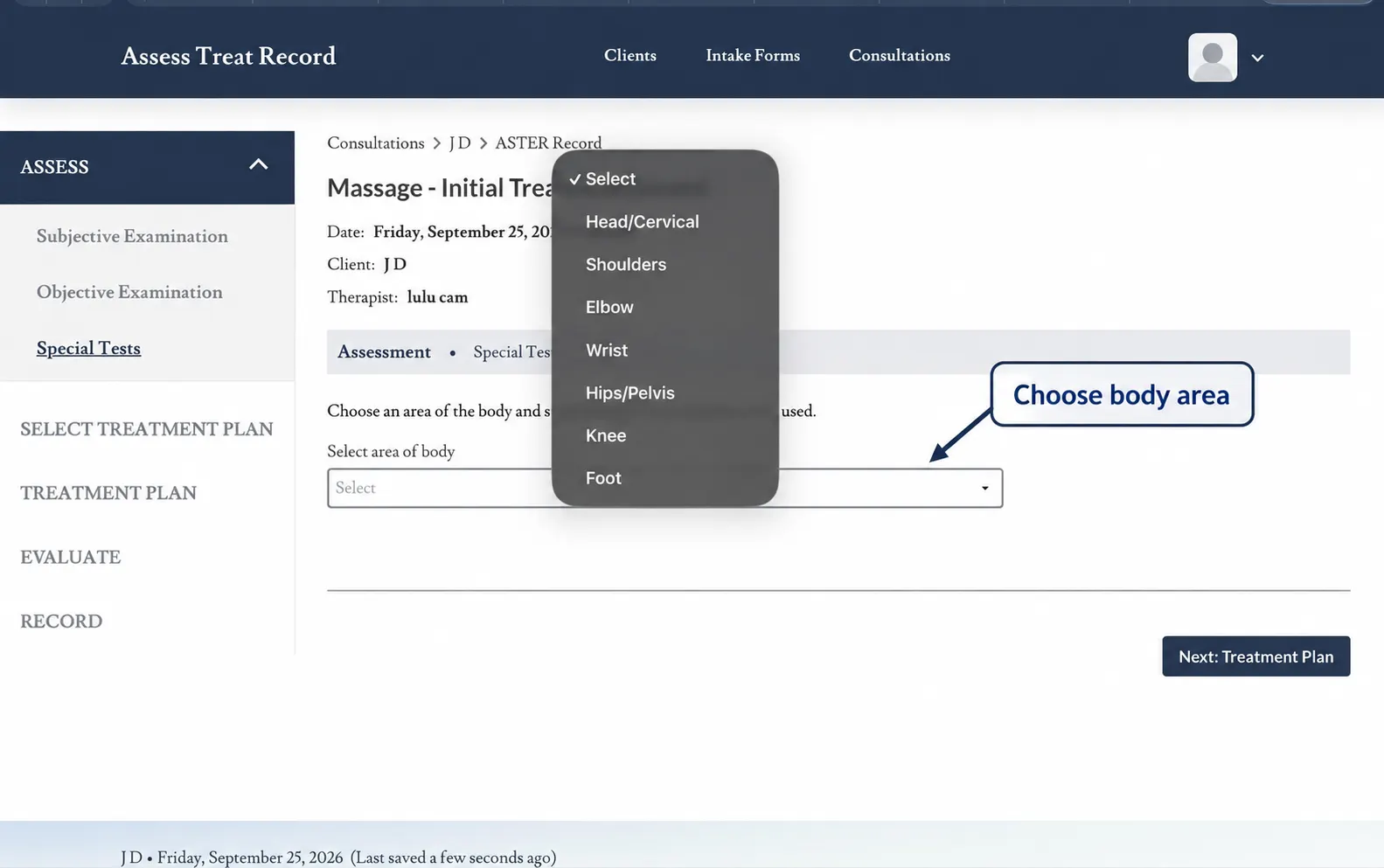
From the current consultation, select Special Tests from the Assess section.
2. Select the Relevant Special Test
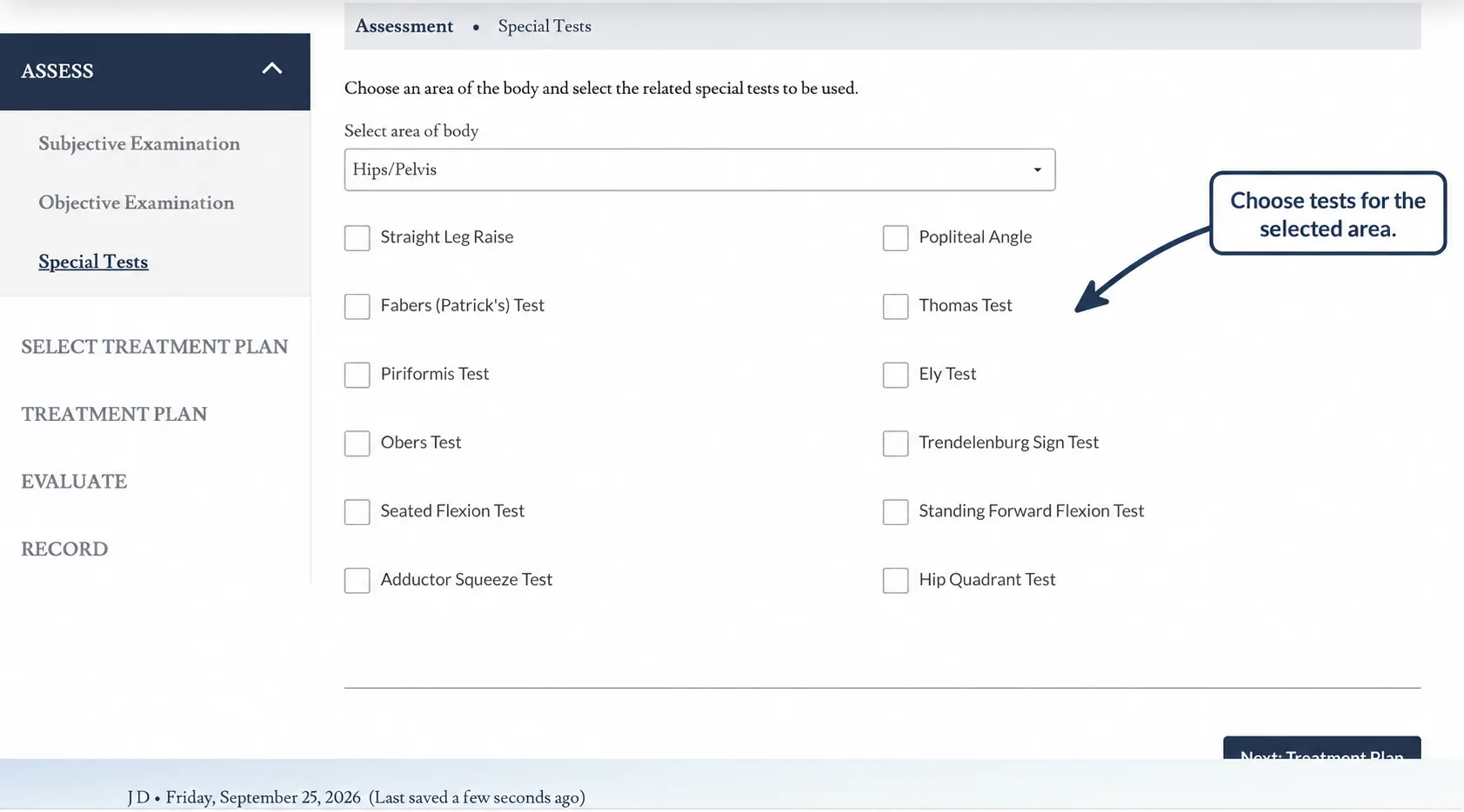
Choose the special test that is relevant to the client’s presentation and the assessment you are completing.
You do not need to select every available test. Use only the tests that are appropriate to the consultation.
3. Record the Test Finding
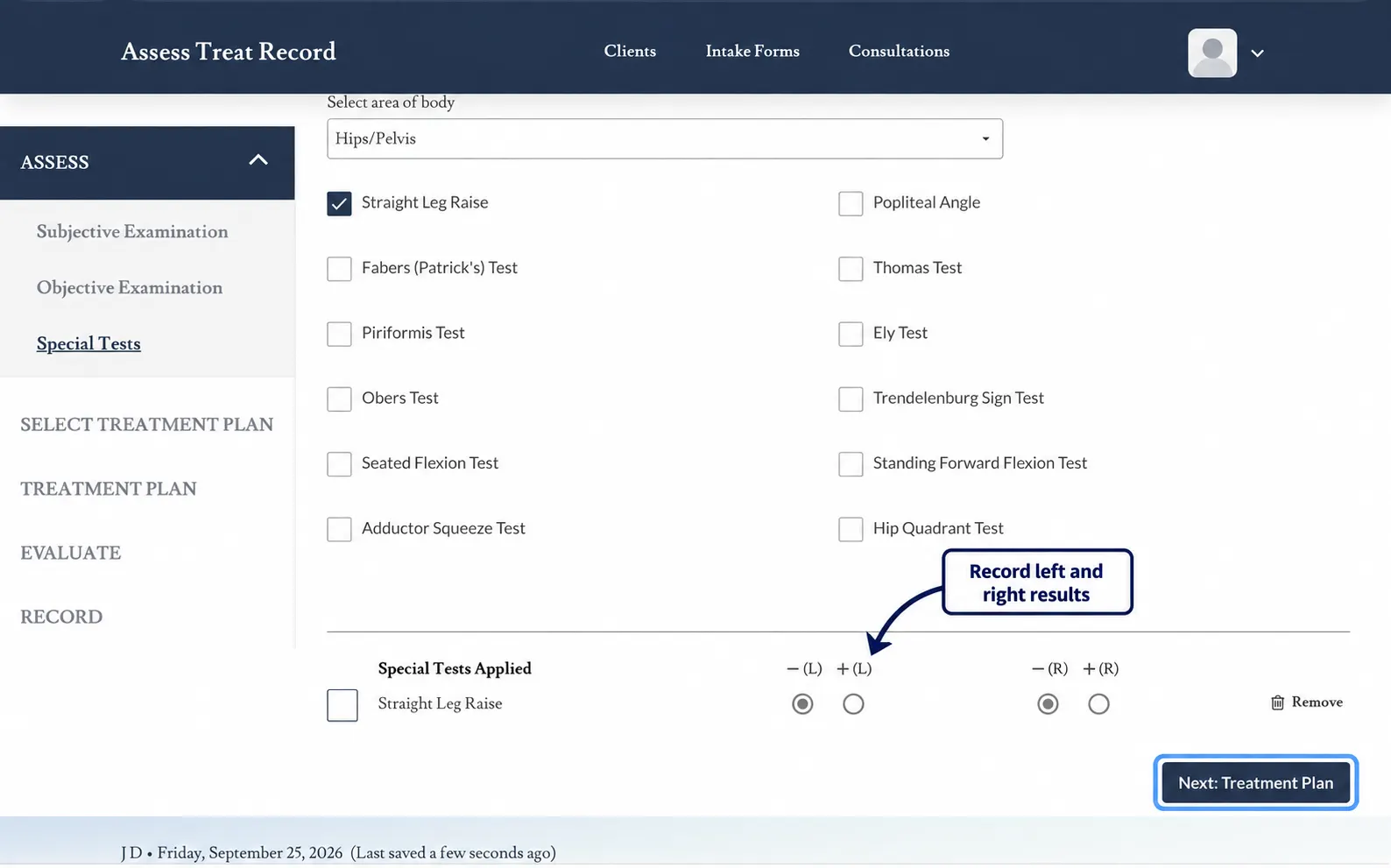
Record the result of the selected special test using the options available within Assess Treat Record.
The recorded result should reflect the finding observed during the assessment.
4. Add Additional Relevant Tests
Continue recording any additional special tests that are relevant to the client’s presentation.
Keep the assessment focused on clinically relevant findings rather than completing tests simply because they are available.
5. Review the Recorded Findings
Review the special test findings before continuing through the consultation.
The recorded findings form part of the overall assessment and can be considered alongside the Subjective and Objective Examination information.
Subjective Examination → Objective Examination → Special Tests
These assessment areas work together to create a structured clinical record before moving further into treatment planning.
Clinical Note
Assess Treat Record provides a structured place to document special test findings. The therapist remains responsible for selecting appropriate tests, performing them correctly and interpreting the findings within the overall clinical assessment.
Next: Select Muscles and Muscle Groups
Once the relevant assessment findings have been recorded, continue through the consultation and select the muscles or muscle groups relevant to the treatment plan.