
1. Open the Clients Area
From Assess Treat Record, open the area where your client records are managed.
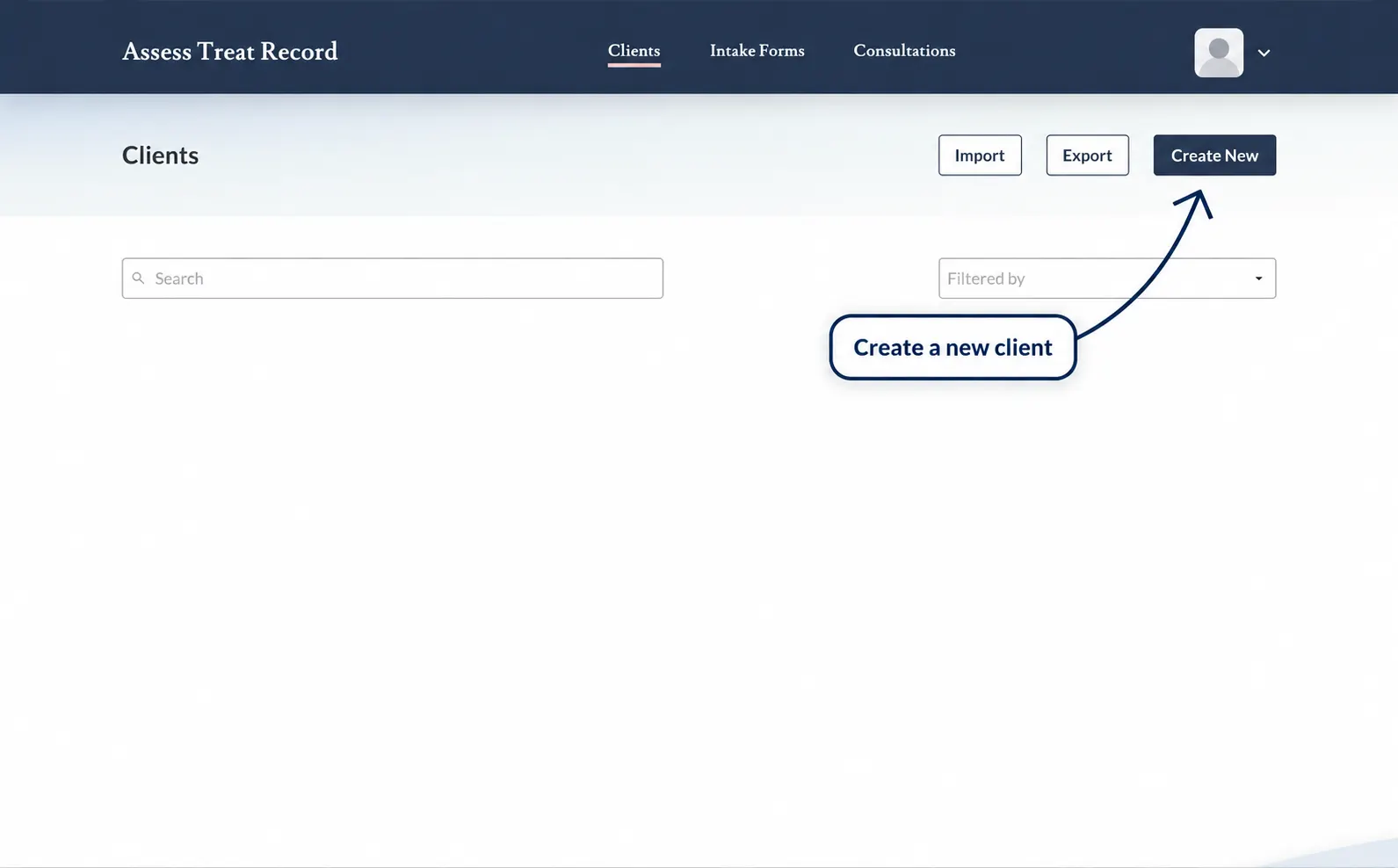
2. Create a New Client
Select the option used to create a new client record.
3. Enter the Client Information
Enter the client information requested on the Create Client form.
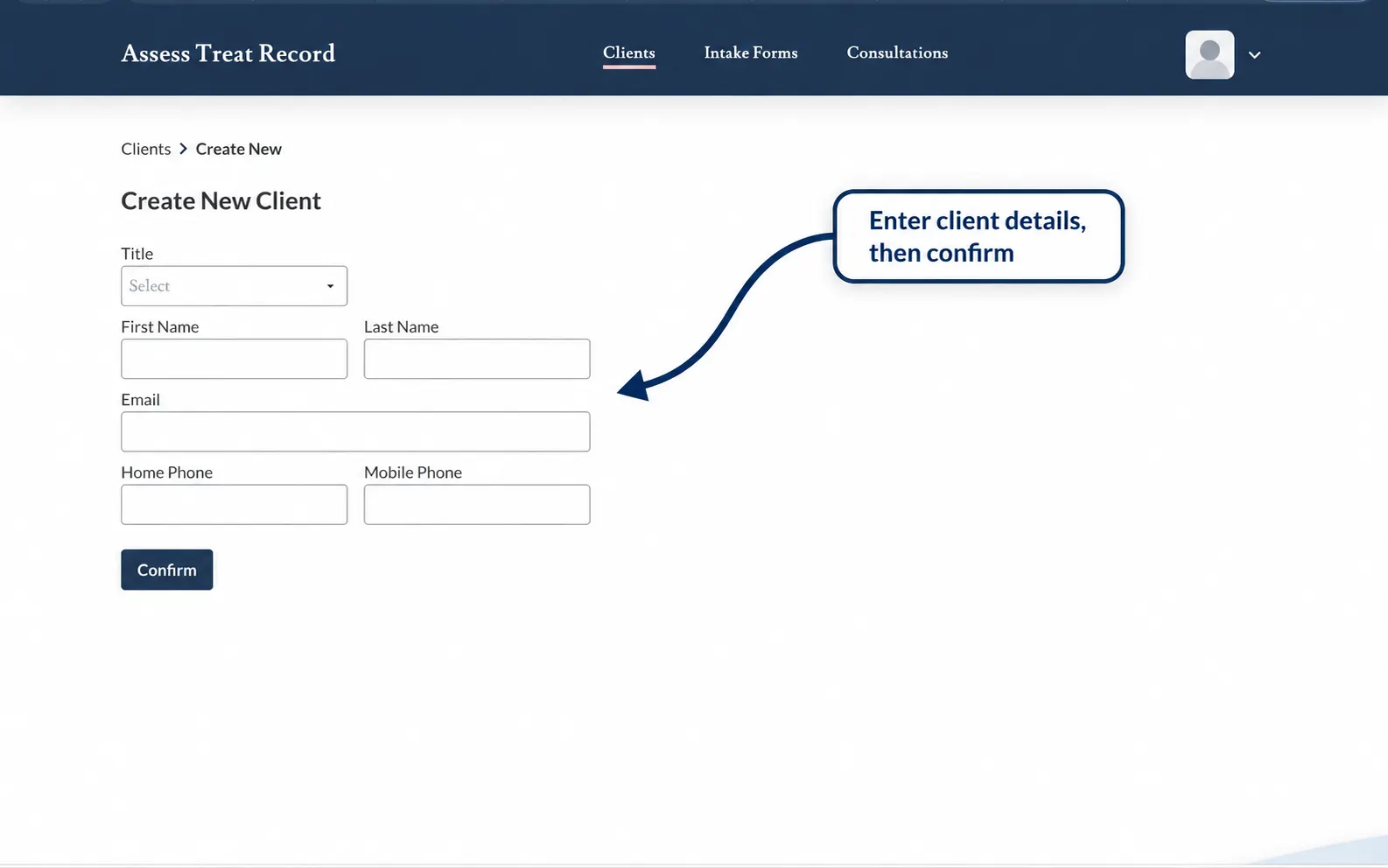
4. Save the Client Record
When the required client information has been entered, save the client record.
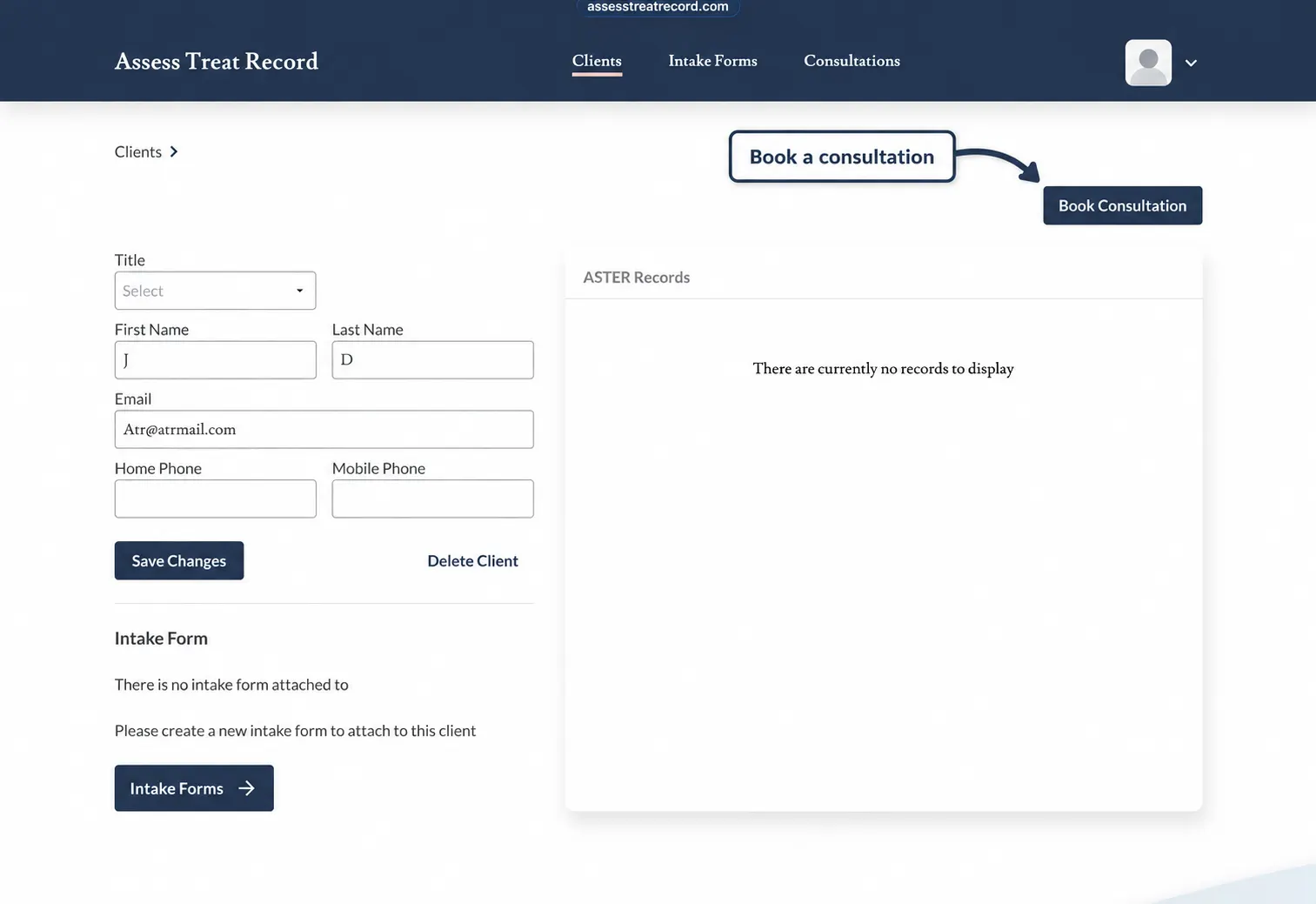
5. Open the Client Record
After the client has been created, open their client record to view their information and begin their first consultation.
Future consultations can then remain connected to the same client record, helping maintain continuity between treatments.
Next: Start a New Client Consultation
With the client record created, you are ready to begin their first consultation and start recording the clinical assessment.